App comparison
7 Best MyFitnessPal Alternatives in 2026
The right calorie tracker is the one you can use on a busy Tuesday. This guide compares seven alternatives by the ways they help you capture food, understand nutrition, and stay consistent.
Disclosure: Cal Check publishes this comparison and is included below. We describe each product from its publicly available official information; we do not claim to have personally tested every app. Features, prices, and availability can change.
Best MyFitnessPal alternatives by need
- Cal Check: for a simple photo, barcode, or nutrition-label starting point.
- Cronometer: for detailed nutrition data, including vitamins and minerals.
- MyNetDiary: for a tracker centered on staff-verified food data.
- Lose It!: for a familiar calorie and weight-goal workflow.
- MacroFactor: for adaptive calorie and macro coaching.
- YAZIO: for fasting tools, recipes, and routine building.
- Lifesum: for guided healthy-eating plans and multimodal logging.
Why people look for a MyFitnessPal alternative
People change food trackers for practical reasons: they want a faster way to add a meal, a better view of micros as well as macros, fewer distractions, or a plan that better matches their goals. There is no universal winner. A clear decision starts with the logging method you will repeat most often—search, barcode, photo, voice, or a recipe—then checks whether the app provides the detail and plan you need.
MyFitnessPal alternatives compared at a glance
| App | Best for | Verified highlights | Free / paid information |
|---|---|---|---|
| Cal Check | AI photo calorie tracking | Meal-photo estimates, barcode and nutrition-label scanning, calories and macros | Available on Google Play |
| Cronometer | Detailed nutrition tracking | Macro and micronutrient tracking; health-data connections; Gold features include custom charts and recipe import | Free app with a paid Gold tier |
| MyNetDiary | Verified food database | Food diary, barcode scanner, macros, diet tools, and AI nutrition scanner | Free and paid options available |
| Lose It! | Weight-goal tracking | Calorie tracking and weight-management tools | Free and paid options available |
| MacroFactor | Adaptive macro coaching | AI food logging, barcode and label scanning, verified search, and dynamic targets | Paid experience |
| YAZIO | Fasting and routines | AI photo tracking, barcode tracking, fasting tools, recipes, and fitness sync | Free and paid options available |
| Lifesum | Guided healthy eating | Photo, voice, typed, barcode, and quick food logging; meal plans and diet guidance | Free and paid options available |
Feature access, availability, and subscription pricing can vary by platform, country, and promotional offer. Review the current in-app or store offer before purchasing.
The 7 best MyFitnessPal alternatives
1. Cal Check
Cal Check — Best for AI Photo Calorie Tracking
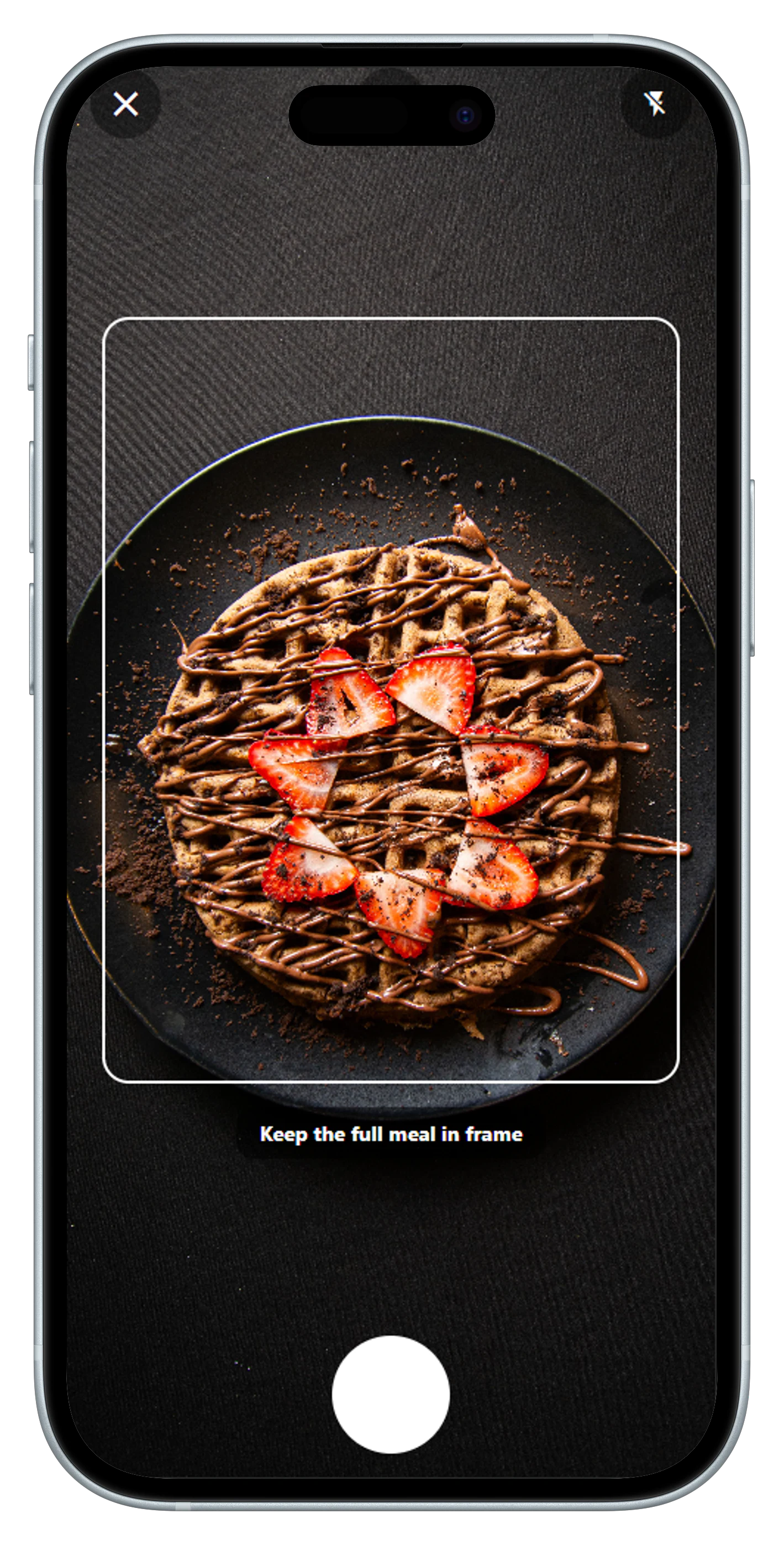
Cal Check is designed to make the first step of logging feel lighter. Start with a meal photo for an AI-generated nutrition estimate, scan a barcode or nutrition label for packaged food, then review and edit calories and macros before saving. The app also brings meals, water, goals, and progress into a single daily view.
Photo-based estimates, barcode and label scanning, and an editable calorie-and-macro diary.
Food recognition is an estimate; portions and ingredients should always be reviewed.
2. Cronometer
Cronometer — Best for Detailed Nutrition Tracking
Cronometer focuses on nutrition depth. Its official materials describe tracking for macros, vitamins, minerals, and connected health data. Its Gold tier adds features such as Photo Log, custom charts, recipe import, a macro scheduler, a fasting timer, and an in-app assistant. It is a sensible option when a calorie total alone does not answer your questions.
Micronutrient detail, health-data connections, and deeper reporting.
Gold features and pricing should be reviewed in the current app-store offer.
3. MyNetDiary
MyNetDiary — Best for a Verified-Food Focus
MyNetDiary emphasizes staff-verified food data, calorie and macro tracking, barcode scanning, diet tools, and an AI nutrition scanner. That makes it relevant for someone whose decision is driven by how food records are curated rather than by coaching alone.
Database-led tracking, barcode scanning, and diet-specific tools.
Plan features and regional availability can vary.
4. Lose It!
Lose It! — Best for Weight-Goal Calorie Tracking
Lose It! is a calorie tracker aimed at people working toward a weight-management goal. Its product positioning centers on logging food and using that record to support a weight-loss routine, so it can be a good match if you want a familiar, goal-forward calorie-counter experience.
Calorie logging and weight-goal-oriented routines.
Plan access can differ by market and platform.
5. MacroFactor
MacroFactor — Best for Adaptive Macro Coaching
MacroFactor combines a food logger with an adaptive coaching model. Its official feature list includes AI photo logging, barcode and label scanning, food search, recipes, custom foods, macro and micronutrient reporting, weight trends, and dynamic weekly adjustments. It is a strong contender for people who want their targets to respond to logged data over time.
Adaptive targets, flexible logging methods, and detailed nutrition analysis.
It is positioned as a premium experience.
6. YAZIO
YAZIO — Best for Fasting and Routine Building
YAZIO combines calorie and macro tracking with AI photo tracking, barcode tracking, fasting timers and plans, recipes, and fitness-tracker syncing. It is worth considering if intermittent fasting or a recipe-led routine is part of what you want the tracker to support.
Fasting schedules, recipes, photo or barcode logging, and fitness sync.
Match the fasting and planning tools to your own routine rather than choosing by feature count.
7. Lifesum
Lifesum — Best for Guided Healthy Eating
Lifesum describes several ways to log a meal: photo, voice, typing, barcode, or quick entry. It also offers nutrition breakdowns, meal plans, diets, and simple trackers for water, fruit, and vegetables. That broader guidance may appeal to someone who wants help shaping eating habits, not only logging a number.
Multiple logging methods, dietary plans, and day-to-day habit support.
The guidance-led experience may be more than a minimal, numbers-first tracker requires.
Pricing Comparison: Which Calorie Tracker Offers the Best Value?
| App | Free Tier | Annual Price | Monthly Price | Notes |
|---|---|---|---|---|
| Cal Check Our App | Yes | USD 34.99 | USD 7.99 | The free tier lets you try Cal Check before subscribing. Cal Check Pro unlocks paid features; review the current in-app offer for the included features. |
| MyFitnessPal | Yes | $79.99 | $19.99 | Standard Premium pricing; Premium+ is a separate, higher-priced tier. |
| Cronometer | Yes | USD 59.99 | USD 10.99 | Basic is free; Gold adds features such as ad-free tracking and extended reporting. |
| MyNetDiary | Yes | $59.99 | $8.99 | Regular Premium pricing; Premium Plus is a separate AI-focused tier. |
| Lose It! | Yes | Varies | Varies | Premium pricing is presented in the purchase flow and can vary by platform and offer. |
| MacroFactor | No | $71.99 | $11.99 | Paid nutrition subscription; a six-month option is also available. |
| YAZIO | Yes | USD 47.90 | Not offered as monthly billing | U.S. iOS 12-month option; pricing is not a universal rate or a confirmed Android offer. PRO is sold in fixed terms. |
| Lifesum | Yes | Varies | Varies | Premium pricing is shown through the selected purchase platform. |
All dollar amounts are in USD and reflect U.S. regular prices only, where officially published and verifiable on November 18, 2026. Prices exclude trials, discounts, taxes, and promotional offers; app-store pricing and availability can change.
Free tiers are a sensible place to test whether a tracker's everyday workflow fits your routine. Paid plans typically add convenience, deeper analysis, coaching, meal planning, or fewer limits—features that matter most when you will use them consistently.
When comparing subscriptions, look at both the regular monthly price and the upfront annual total. Annual plans can cost less over a full year, but only make sense if you expect to keep using the app; always confirm the price and renewal terms shown in your own store before subscribing.
Cal Check can be an interesting option for people who want to begin with AI-assisted food logging from a photo, then review and edit the result alongside calories and macros. Its barcode and nutrition-label scanning offer additional ways to start an entry, while the right premium choice still depends on the current store offer and the features you value.
How to choose the right calorie-counting app
- Choose the fastest honest logging method for you. A photo, barcode, search, or recipe workflow is only useful when you still review the result.
- Decide how much detail you need. Calories and macros are enough for many people; others need micros, health connections, or a fasting tool.
- Compare the free workflow before paying. Review which features are included, what a subscription unlocks, and the current store price in your region.
- Look for an edit-friendly diary. Portions, recipes, and estimates are imperfect. The ability to correct an entry is part of useful tracking.
Prefer a simple first step?
Use a meal photo, barcode, or nutrition label to start a Cal Check entry, then make the calories and macros your own before you save.
Install Cal Check on Google PlayFrequently asked questions
Which MyFitnessPal alternative is best for detailed nutrition data?
Cronometer is the most natural starting point if you want macro and micronutrient detail, connected health data, and deeper reporting.
Which alternative is best for macro coaching?
MacroFactor is specifically positioned around adaptive calorie and macro coaching. It combines food logging with dynamic targets based on the data you log.
Can I use a photo to track calories?
Yes! Apps like Cal Check let you log meals using a photo and artificial intelligence. Cal Check estimates calories and macronutrients from food photos, helping you log meals faster. You can review and adjust the results before saving.
Are free versions enough for calorie tracking?
Yes, free calorie trackers can be enough for everyday food logging. Cal Check offers a free version for tracking meals and calories, while Cal Check Pro unlocks additional premium features, including eligible AI-powered tools. The best choice depends on your tracking needs, and available features may vary by subscription plan.
Is Cal Check a good alternative to MyFitnessPal?
Cal Check is an alternative to MyFitnessPal for people who prefer a straightforward food-tracking experience. It supports calorie and macro tracking, AI-powered food photo analysis, barcode scanning, and nutrition label scanning. Some features require Cal Check Pro, so check the current plan details before subscribing.
Is this comparison independent?
Cal Check publishes this article, so it is not independent of Cal Check. We identify that relationship and avoid invented test results or ratings.
A simple place to start
Choose the tracker you will use consistently
For photo-first logging with barcode and nutrition-label scanning, Cal Check offers a practical place to begin. Review and edit your calories and macros, then make each entry your own.
Try Cal Check on Google Play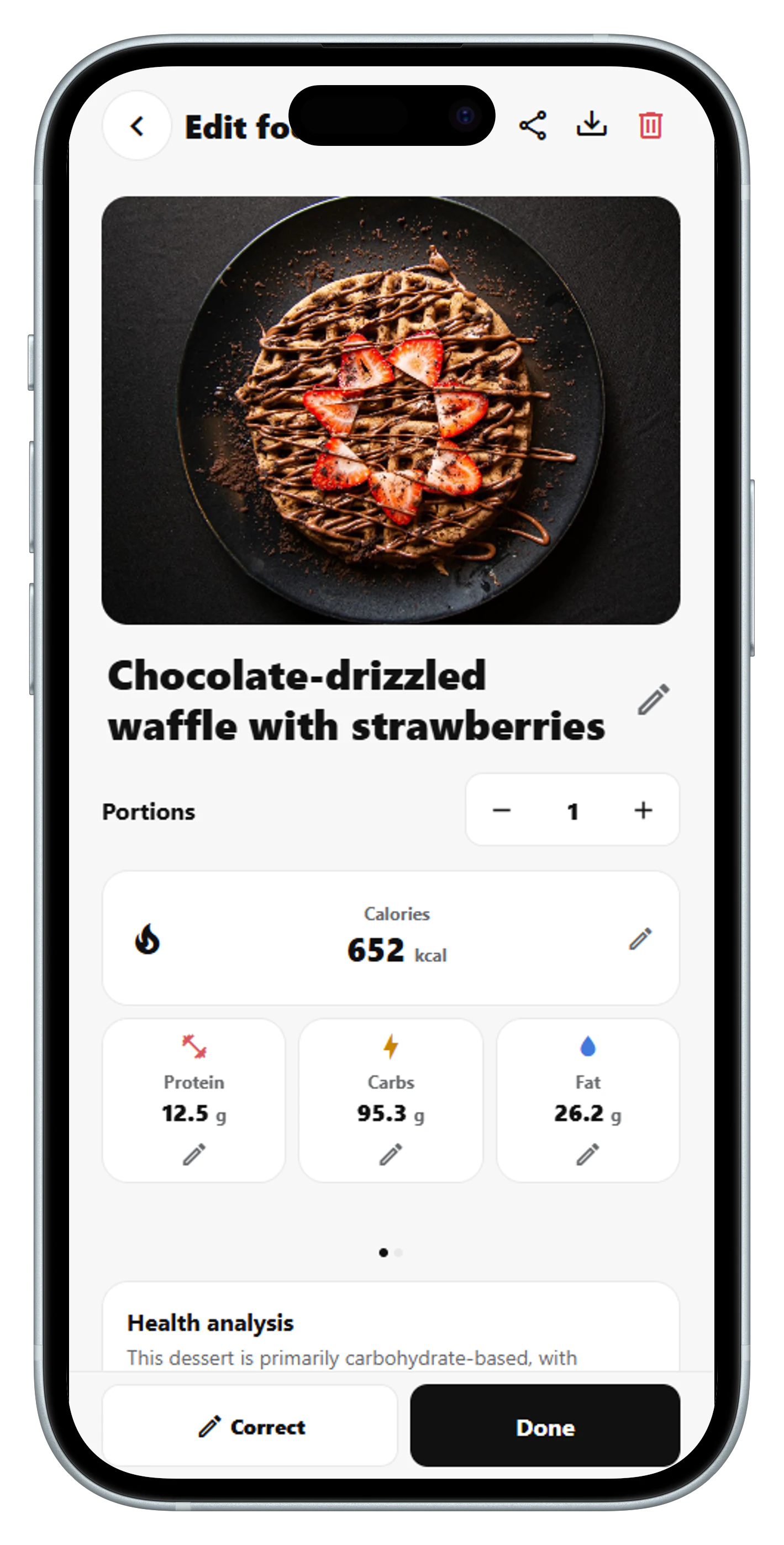
Editorial note: Product descriptions reflect publicly available product information reviewed on November 17, 2026. Feature access, plans, and availability may change. This article is informational and is not medical advice.